Bring your customers back. Again and again.
Your customers scan a QR at your counter, collect stamps on their phone and come back for rewards.

Stamp card
Your business name
0 of 10 stamps
How it works
Three steps at the counter
It takes a few seconds, and your customer never needs to download anything.
-
Step 1: Scan
Your customer scans the revisit QR standee at your counter with their phone camera.
-
Step 2: Stamp
You approve the scan and a stamp lands on their digital card.
-
Step 3: Reward
Enough stamps unlock the reward you choose, like a free coffee or a discount.
Why revisit
Bring your customers back
A simple loyalty card that works for you and your customers.
- More repeat customers
- A reward to work towards gives people a reason to choose you again.
- No paper cards
- Nothing to print, lose or forget at home. Every stamp is saved on the customer's phone.
- No app to install
- Customers scan with their phone camera and their card opens straight away.
- Know your regulars
- See who visits, how often they come, and who is close to a reward.
The product
Everything you need, nothing you don't
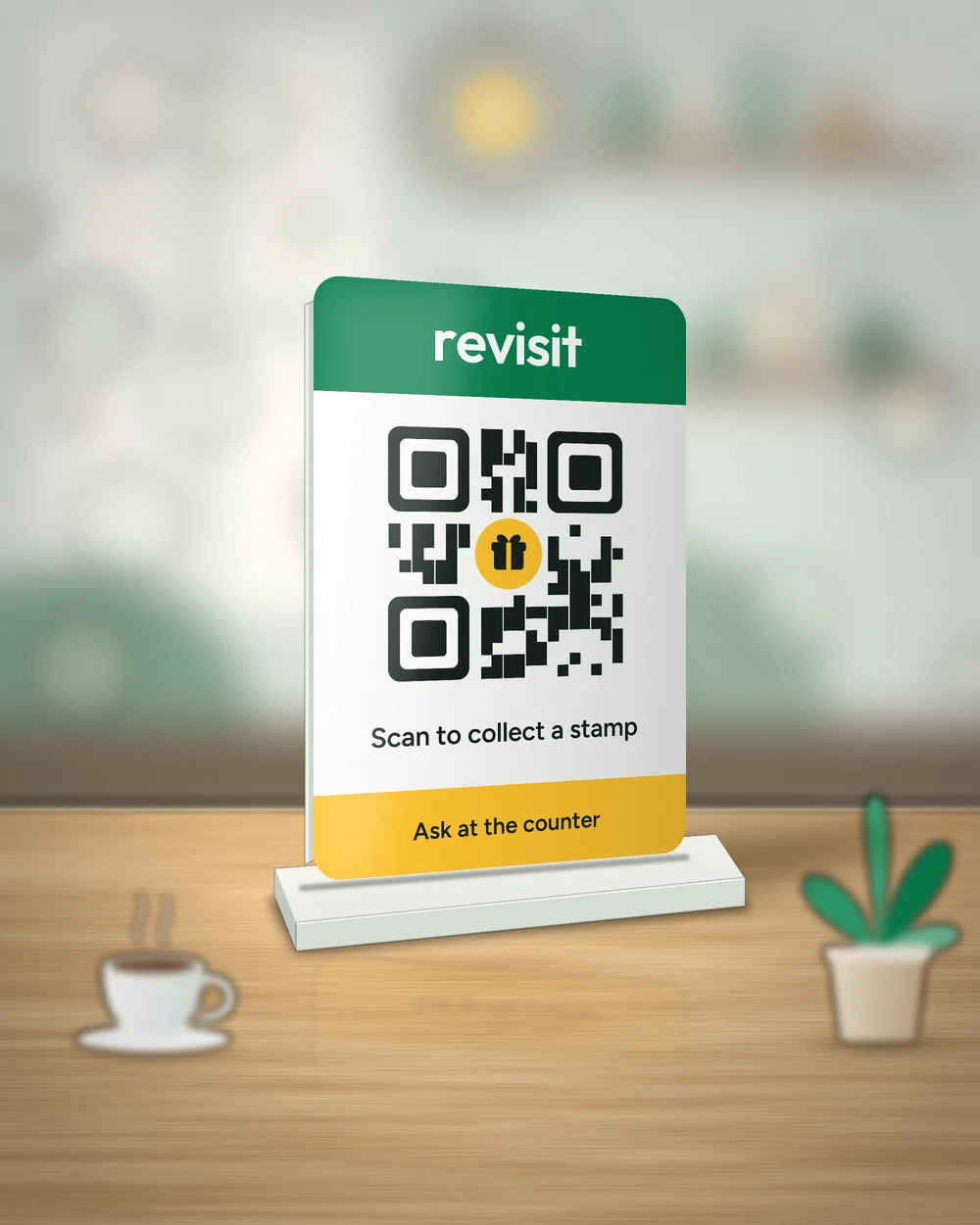
The counter standee
Customers scan it to collect a stamp.
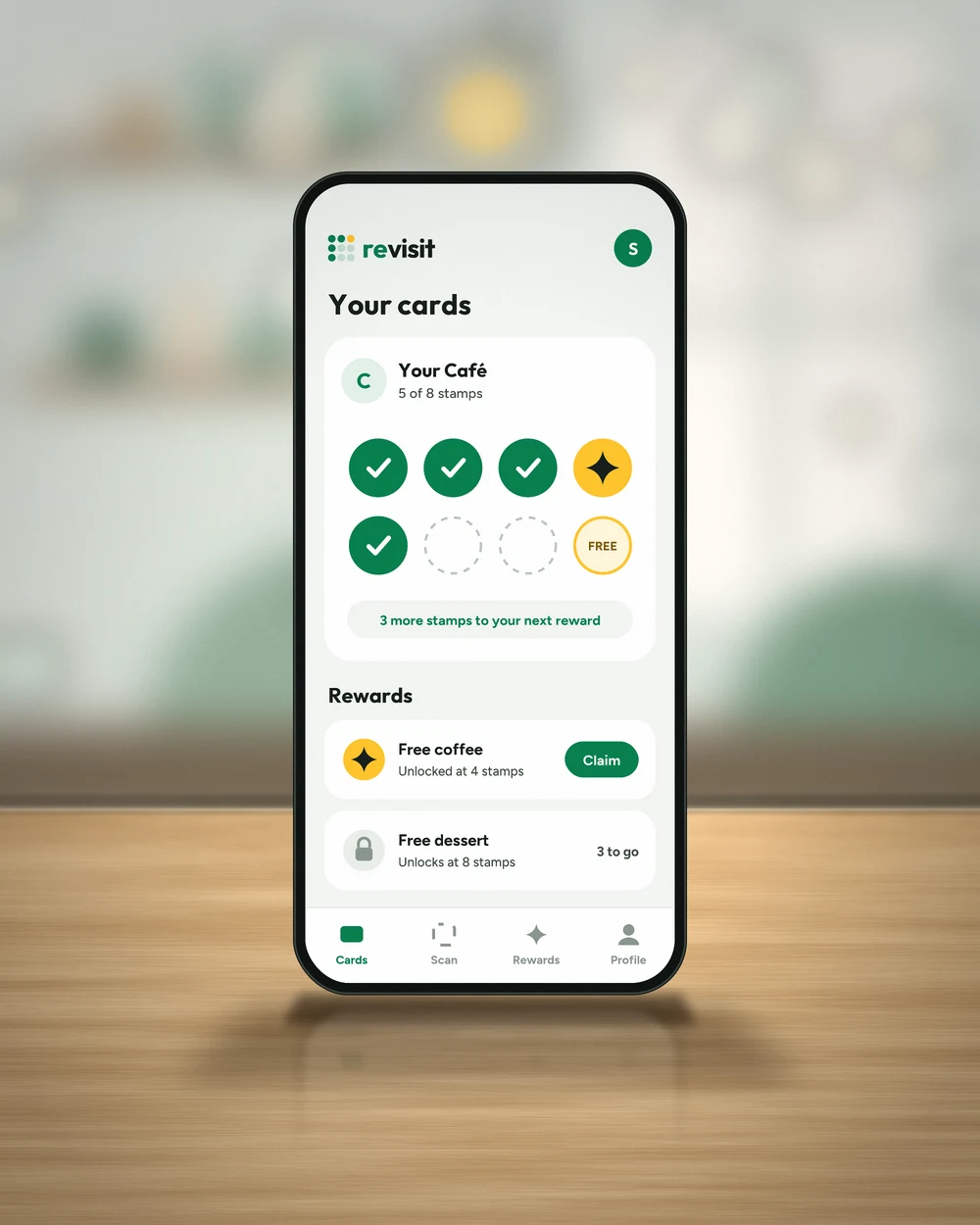
Your customer's card
Their stamps and rewards, right on their phone.
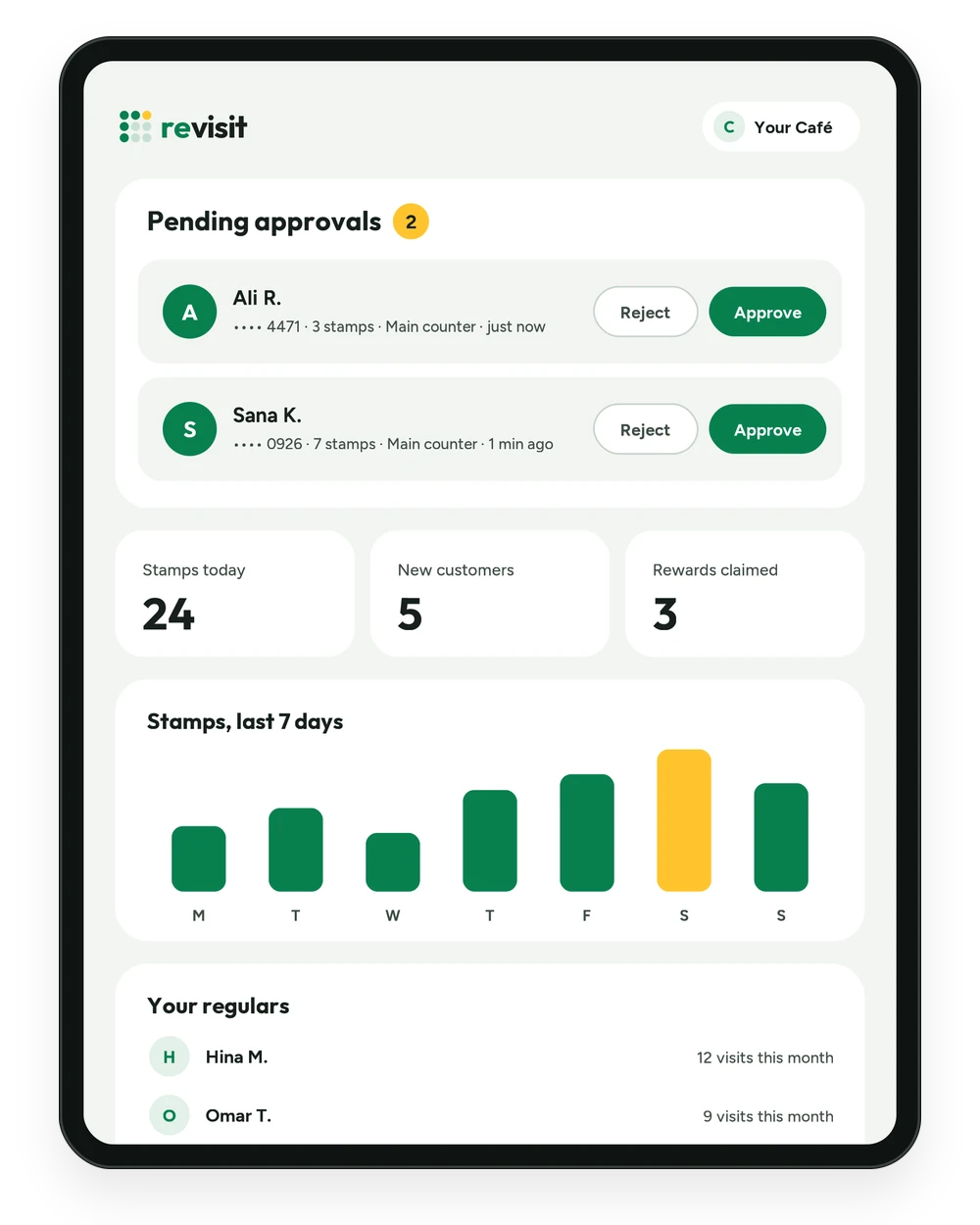
Your dashboard
Approve scans and see your regulars in one place.
Who it's for
Made for local businesses
If your customers come back, revisit gives them a reason to come back sooner.
Simple pricing
See what revisit costs for your business and what is included. Plans from PKR 1,990.
FAQ
Questions business owners ask
What do I get when I buy?
Do I need to download an app?
How do I approve a scan?
How long does delivery take?
How do I log in?
Ready to bring customers back?
Send us a message on WhatsApp. We'll answer your questions and help you get set up.